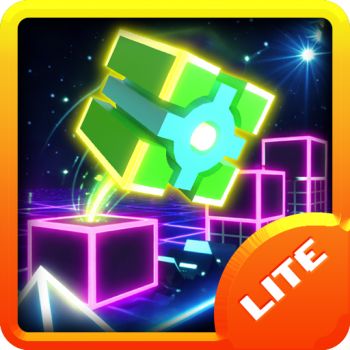
As a huge fan of platformers, I always look for fresh takes on classic titles. Geometry Dash 3D is exactly that. It takes everything you love about the original rhythm game and throws it into a completely new perspective. If you are ready for a challenging and visually stunning experience, you are in the right place.

What is Geometry Dash 3D?
Geometry Dash 3D is an exciting spin-off that transforms the traditional two-dimensional gameplay into a dynamic three-dimensional world. The objective remains the same. You must navigate a small cube through dangerous passages filled with spikes and traps to the beat of an energetic soundtrack.
The visual upgrade is massive. The environment features glowing neon blocks floating in a deep space background. Right now, this version features two iconic starting levels. You can test your skills on Stereo Madness and Back on Track. While the level count is currently small, browser games are updated frequently. We can expect to unlock brand new levels in the near future. If you want to experience the classic 2D version before tackling the new dimension, you can always play the original Geometry Dash right here on our website.
How to Play
Getting started is very simple. Your cube moves forward automatically across the track. Your only job is to time your jumps perfectly to avoid crashing into obstacles.
Here are the basic control keys:
- Press the Spacebar, Up Arrow key, or Left Mouse Click to jump.
- Hold down your jump key to string multiple jumps together across bouncing pads.
If you are struggling with a specific section, I highly suggest using Practice Mode. In the game, the pause menu lets you easily toggle settings like Auto-Retry and Auto-Checkpoints. Practice Mode lets you drop these checkpoints so you do not have to restart from the very beginning every single time you make a mistake.
Geometry Dash 3D vs Geometry Dash: What is the difference?
You might wonder why you should play this version instead of the classic one. The biggest difference is the camera angle. The classic game is strictly a flat side-scroller. The 3D version places the camera at an isometric angle to give you a clear sense of depth.
The neon aesthetics also make the platforms pop out against the dark cosmic background. Because of this new camera angle, the gameplay speed and timing feel slightly different. I noticed it takes a few tries to adjust your eyes to the depth perception. Once you get used to it, the rhythm platforming feels incredibly immersive.
Tips And Tricks
I have spent hours dying at the same spikes. Through trial and error, I picked up a few helpful habits to improve my runs.
First, always listen to the music closely. The jumps often sync perfectly with the beat drops. If you feel the rhythm, you will naturally time your jumps much better. Second, do not ignore Practice Mode. It is very tempting to jump straight into Normal Mode to prove your gaming skills. However, dropping checkpoints helps you learn the layout of trickier parts safely. Finally, keep your eyes focused slightly ahead of your cube. Looking directly at your character limits your reaction time for upcoming traps.
Frequently Asked Questions
Is Geometry Dash 3D free to play?
- Yes, you can play it entirely for free right in your web browser.
Does Geometry Dash 3D require a download?
- No, it is a fully web-based game. You do not need to download or install any external files to enjoy it.
Are there more levels coming to the game?
- Maybe, while there are only two levels available right now, future updates are expected to unlock more stages for players to conquer.
Can I play this game on my mobile phone?
- Yes, most modern browser games support mobile touch controls. Tapping your screen will easily make your character jump.