Geometry Dash Switch is a highspeed rhythm platformer where players flip gravity to avoid sharp spikes. Play for free directly in your browser today!
About Geometry Dash Switch?
Geometry Dash Switch brings a fresh twist to the classic rhythm platformer experience. In this fan-made level, your main objective is to survive an intense obstacle course filled with neon platforms, glowing portals, and floor spikes. Unlike traditional levels that focus solely on simple jumps, this game revolves around shifting gravity mid-run. You control a neon green icon that constantly speeds forward.
One moment you run along the floor, and the next moment you flip upside down to slide across the ceiling. Passing through gravity portals instantly changes your direction, requiring quick reflexes and solid hand-eye coordination. Fans who enjoy fast movement and precise timing in Platformer Games will find this level both familiar and challenging.
Tutorial to master Geometry Dash Switch
Getting started is easy, but reaching 100% completion requires practice. The core controls focus on single-input mechanics, making it accessible on both desktop and mobile devices.
- Up Arrow / Spacebar / Left Mouse Button: Press to jump over spikes or trigger gravity rings.
- Ship Form: When entering the mini-ship vehicle portal, hold down the mouse button to fly upward, then release to sink downward.
Your main goal is navigating from 0% to 100% without hitting obstacles. Touch a single spike, and your run resets instantly to the beginning of the level.
Tips to Overcome Each Stage in The Game
Early Cube Phase (0% - 30%)
Focus on rhythm rather than visual reaction. The initial jumps follow the beat of the soundtrack closely. Watch out for floating rings overhead, and jump early enough so your cube does not clip the edges of spike pits.
Mid-Game Gravity Inversions (30% - 70%)
This phase introduces rapid portal shifts. When entering a yellow portal, mentally prepare to read the terrain upside down immediately. Keep your vision focused 2 to 3 blocks ahead of your cube rather than looking directly at your character. This simple habit gives your brain extra milliseconds to react to hanging ceiling spikes. If you struggle with the inverted controls, try practicing similar rhythm mechanics in Geometry Dash Spider to build muscle memory for fast line shifts.
Ship and Portal Transitions (70% - 100%)
The high-speed ship section features narrow corridors surrounded by electrical hazards. Instead of holding the jump button down, tap it lightly to maintain a stable horizontal path through the center of the screen.
Gravity Maps of GD Switch
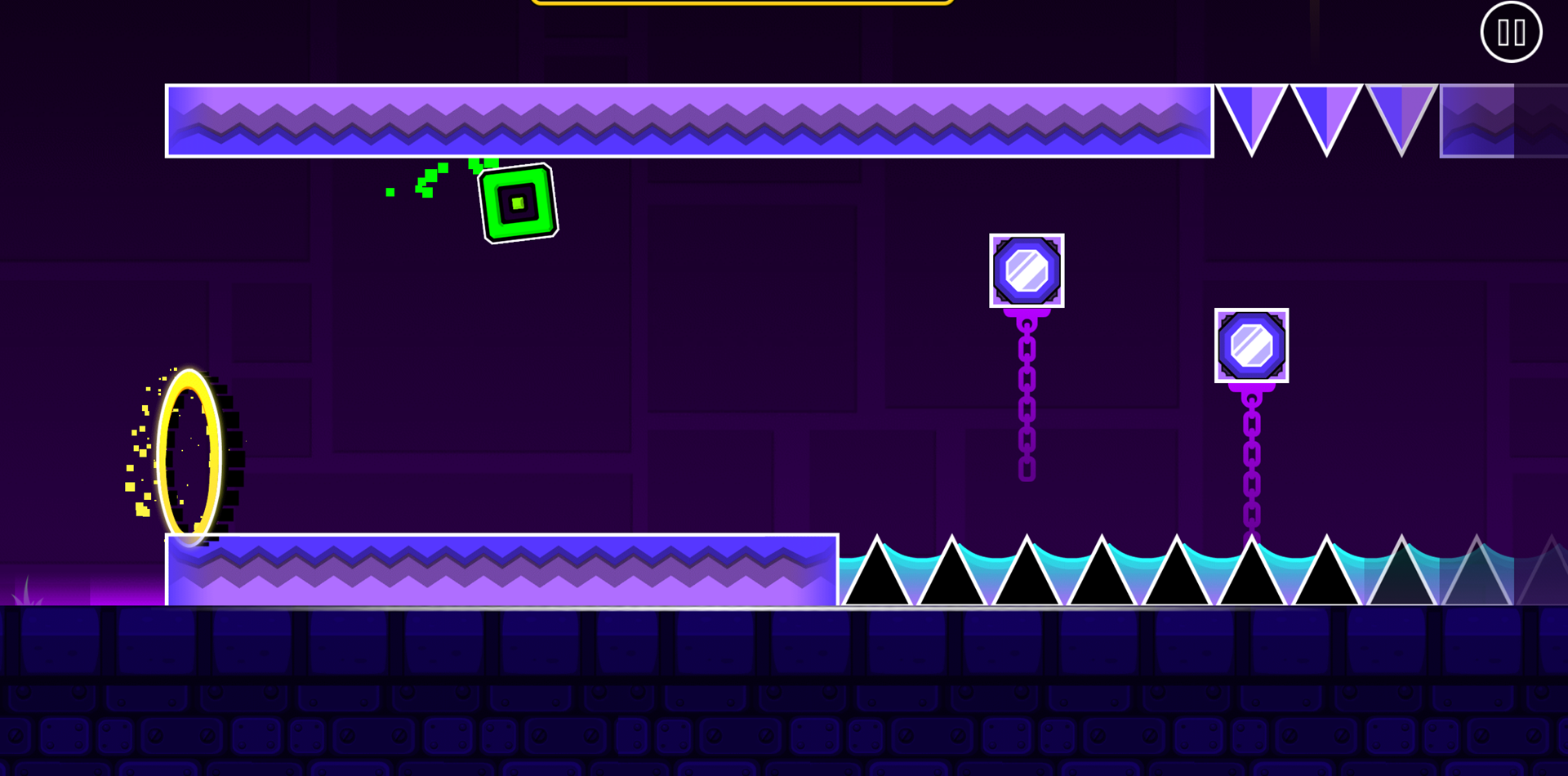
The map design inside Geometry Dash Switch is divided into distinct visual and mechanical zones that test your spatial awareness.
- Normal Floor Layout: Features low-lying platform blocks, basic single spikes, and introductory jump pads.
- Ceiling Grid Zone: Activated after crossing gravity portals. Obstacles hang downward, forcing you to adjust your spatial judgment.
- Floating Platform Corridors: Suspended blocks with bottom spikes. Missing a jump forces your cube down into deadly spike beds.
- Vehicle Portals: Specific locations on the map instantly transform your cube into a flying ship, changing physics from grounded jumps to floating momentum.
FAQs
Is Geometry Dash Switch free to play on web browsers?
- Yes. You can play the complete game directly in your web browser without paying any fees or creating an account.
Does Geometry Dash Switch feature a Practice Mode with checkpoints?
- Yes. Practice Mode lets you place green checkpoints along the track so you can rehearse tough jumps without restarting from 0%.
Can you play this game using a mobile touchscreen?
- Yes. The touch controls are fully responsive, allowing you to tap the screen to jump or control the ship smoothly on mobile devices.
Do you need to download extra files to run the game?
- No. The game loads instantly in your browser's HTML5 player, with no plugins or installations required.