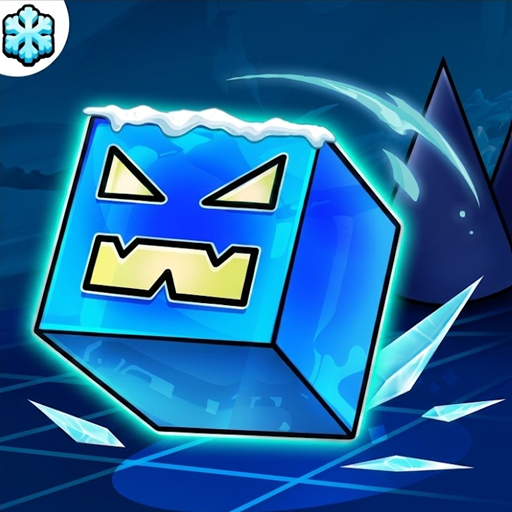
Review Geometry Dash Subzero
If you enjoy rhythm games that test your reflexes, Geometry Dash Subzero delivers an incredible adrenaline rush. As someone who has logged hundreds of hours across the entire series, I can safely say this spin-off brings some of the most dynamic level designs in the franchise. The game blends fast-paced obstacle navigation with vibrant icy aesthetics and high-energy electronic soundtracks.
Unlike traditional platformers where you control every movement direction, your character moves automatically here. Your main job is timing every jump, bounce, and flip perfectly to the beat. The neon visuals can get intense, but the sync between the music and your actions makes every successful attempt feel extremely rewarding.
If you are looking for the complete experience with level editors and thousands of custom stages, check out Geometry Dash Full. However, if you want quick, polished, and challenging gameplay right in your web browser, this entry is an absolute must-play.
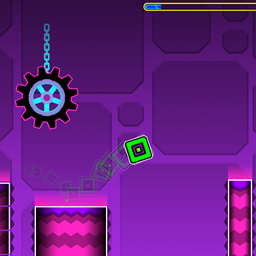
Guide to Play GD Subzero
Controls
- Left Mouse Click/ Spacebar or Up Arrow Key: Press to jump or activate jump pads and rings.
- Mobile/ Touch Controls: Tap the screen to jump.
Gamer Tips for Survival
- Listen to the Music: The beats are not just background noise. Every jump pad and obstacle line up with the soundtrack rhythm.
- Use Practice Mode: When a section feels impossible, drop checkpoints in Practice Mode. It helps you memorize tricky transitions without restarting from zero percent.
- Master the Jump Rings: Yellow rings give you a extra jump in mid-air, while pink rings offer a smaller bounce. Timing your taps right as your character hits the ring is critical.
It fits seamlessly into the category of fast-paced Platformer Games, where precision jumping is the key to clear every stage.
Outstanding Game Features
- The screen zooms, rotates, and shifts perspective dynamically during gameplay, adding a fresh visual challenge.
- Vibrant cold-themed neon graphics, dark backgrounds, and glowing obstacles create a sleek visual style.
- Obstacles spawn and move in perfect harmony with custom tracks from artists like MDK, Bossfight, and Boomkitty.
- Unlock new icons, colors, and trail effects as you complete stages and collect hidden coins.
Subzero vs Meltdown
Both titles serve as standalone expansion packs, but they offer slightly different vibes and difficulty curves.
If you are a complete beginner, starting with the level Press Start in Subzero is ideal because it carries an Easy difficulty rating compared to other expansion tracks. The level design in Subzero feels slightly more modern, thanks to camera triggers and shifting screen perspectives that were introduced in later update cycles of the engine.
On the other hand, Geometry Dash Meltdown focuses heavily on fiery visual effects and classic portal transitions. Meltdown feels a bit more aggressive in its pacing right from the first level. If you prefer modern camera tricks and playful music, go with Subzero. If you want pure classic obstacle layouts with high speed, give Meltdown a spin first.
FAQs
Is Geometry Dash Subzero Unblocked on school computers?
- Yes, you can play the web browser version directly on our site without downloading any extra software or bypassing local network restrictions.
Can you create custom levels in Geometry Dash Subzero?
- No, level creation and custom level sharing are features reserved exclusively for the main game release.
Is Geometry Dash Subzero harder than the original game?
- Yes, the levels feature camera rotations and sudden visual shifts that make blind runs trickier than early classic stages.
Do I need to buy the game to play it?
- No, this standalone version is free to play directly in your web browser.