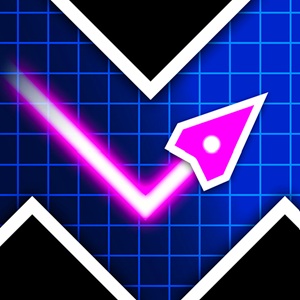
Geometry Vibes Overview
Geometry Vibes is a fast rhythm-based browser game where timing is everything. You control an icon moving through glowing levels filled with sharp spikes, tight gaps, and sudden level changes. One wrong click sends you straight back to the start.
What makes this game stand out is its slick neon visuals and energetic soundtrack. Every movement aligns with the beat of the music. It feels super satisfying when you clear a difficult section after dozens of attempts. I spent over two hours on Level 5 alone, and trust me, the rush when you finally beat it is unmatched.
If you are a fan of fast action like Geometry Dash Full or love precision steering games like Geometry Arrow 3D, you will feel right at home here. Let us break down everything you need to know about this game.
How to Play Geometry Vibes?
Controls
Your main goal is to navigate your character safely across the finish line while avoiding every obstacle on screen.
- Left mouse click, Spacebar, or Up Arrow key: Jump or fly up
- Release: Let go of the button to drop down or stop jumping
In wave or arrow sections, holding down the key makes your character steer upward diagonally. Releasing the key drops your character downward immediately. Quick tapping is required for tight zig-zag passages.
Customize your icon
Before you launch into a level, you can customize your character in the Shop menu.
- Click on the Shop icon on the main menu or before starting a level.
- Select your favorite Arrow / Ship skin from the available designs.
- Choose a cool trail pattern to leave behind as you speed through levels.
- Pick your preferred color palette to match your personal style.
What Are the Geometry Vibes Game Modes?
Classic Mode
Classic mode features 10 hand-crafted stages ranging from Easy to Insane.
- Level 1 - 2 (Easy): Perfect for beginners learning the basic rhythm and controls.
- Level 3 - 4 (Normal): Introduces faster speeds and tricky jump pads.
- Level 5 - 6 (Hard): Requires quick reaction time and precise hold-and-release timing.
- Level 7 - 8 (Demon): Narrow spaces with sudden obstacles that punish small mistakes.
- Level 9 - 10 (Insane): Designed for hardcore players who have memorized every track.
Endless Mode
If you want to test your raw endurance, Endless mode is the place to be. The track goes on forever, increasing in speed and difficulty as you progress. Your main goal here is to set a high score and beat your personal best. It is great for quick warm-ups before jumping into Classic mode.
Racing Mode
Want to play with friends on the same keyboard? Geometry Vibes features local multiplayer racing for up to 4 players.
- 2 Players (2P): Head-to-head racing on a split keyboard.
- 3 Players (3P): Three-way battle for ultimate bragging rights.
- 4 Players (4P): Chaotic party fun where only the most focused gamer survives.
Frequently Asked Questions
Is Geometry Vibes free to play in your browser?
- Yes, you can play the full game completely free in any modern web browser without downloading anything.
Can you play Geometry Vibes with friends?
- Yes, the game supports local multiplayer Racing mode for 2, 3, or 4 players on a single keyboard.
Does Geometry Vibes have an Endless mode?
- Yes, there is an Endless mode where you try to survive as long as possible to reach high scores.