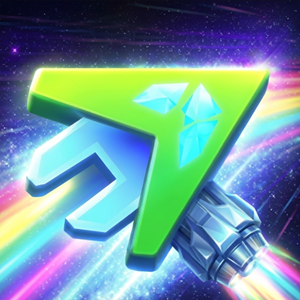
What is Geometry Arrow 3D?
Geometry Arrow 3D is a fan-made spin-off inspired by the classic wave mode in Geometry Dash. Instead of moving along a flat 2D plane, you fly through a glowing neon 3D tunnel. Your objective is straightforward. You control a fast arrow, dodge sharp spikes, and reach the finish line without crashing.

The game features 4 distinct maps with increasing difficulty:
- Map 1: The entry level where you learn the speed and basic rhythm.
- Map 2: Introduces tighter gaps and quicker elevation shifts.
- Map 3: Tests your reaction times with rapid obstacle patterns.
- Map 4: The ultimate test rated 4 stars in difficulty, requiring near-perfect muscle memory.
Each level includes both Normal Mode and Practice Mode. If you are struggling with a tricky section, Practice Mode lets you drop checkpoints to master the layout before attempting a full run.
Play Geometry Arrow 3D
How to control
- Left Mouse Click/ Up Arrow Key: Hold to make the arrow fly diagonally upwards.
- Release: Release to let the arrow drop diagonally downwards.
- Mobile/ Touchscreens: Tap and hold to fly up, release to glide down.
Tips to play
- The gameplay syncs closely with the soundtrack rhythm. Timing your clicks to the beat helps you predict upcoming shifts.
- Holding the button too long often sends your arrow crashing into the ceiling. Light, quick taps keep your movement balanced in narrow spaces.
- Map 3 and Map 4 have sudden corridor shrinks. Running Practice Mode twice before going for 3 stars in Normal Mode will save you from constant restarts.
- Watch out for golden coins placed along dangerous pathways. They are tricky to grab, but collecting them proves true mastery of the level.
Compare Geometry Arrow 3D vs Geometry Arrow
Geometry Arrow 3D Game Features
- Tailored progression ranging from beginner tracks to 4-star hardcore challenges.
- Play in Normal Mode for high scores or Practice Mode to learn complex map layouts.
- Dynamic background grids and vibrant light trails that match your speed.
- High-energy music synced directly with obstacle placements.
- Smooth performance on both PC and mobile devices without downloading extra files.
Frequently Asked Questions
Is Geometry Arrow 3D free to play online?
- Yes. You can play Geometry Arrow 3D directly in your web browser without downloading any software or paying for access.
Does Geometry Arrow 3D have a practice mode?
- Yes. Every map features a Practice Mode where you can place checkpoints to train on difficult sections.
Can you play Geometry Arrow 3D on mobile phones?
- Yes. The game works on mobile browsers through simple touch controls. Tap to fly up and release to go down.
How many levels are there in Geometry Arrow 3D?
- 4 levels. The game includes 4 main maps ranging from easy tracks to a challenging 4-star level.