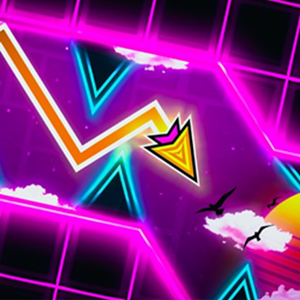
Geometry Dash Wave tests your reflexes with fast diagonal wave controls and challenging obstacle courses. Now, master the zigzag flying mode!
Geometry Dash Wave - Can You Master the Zigzag Challenge?
If you have ever played rhythm platformers, you know how intense the wave section gets. Geometry Dash Wave isolates this iconic vehicle mode into its own dedicated gameplay experience. Unlike standard cube jumping where you tap to hop over spikes, this mode puts you in control of a small arrow moving continuously at a 45 degree angle. Holding down the key makes you rise diagonally. Releasing it causes you to fall downward immediately.
When I first loaded up Map 1, I thought my muscle memory from playing Geometry Dash Full would carry me through easily. I was wrong. The wave vehicle moves fast, and tight spaces leave almost zero room for hesitation.
Guide to Master Geometry Dash Wave
Gameplay: To beat a level, you must navigate from the start line to the end portal without touching any spikes, sawblades, or solid block edges. The game features both Normal Mode for standard runs and Practice Mode where you can drop checkpoints along the path to learn difficult patterns.
| Controls |
Action |
In-game Movement |
| Left-click/ Spacebar/ Up Arrow |
Hold |
Ascend diagonally upward at 45 degrees |
| Left-click/ Spacebar/ Up Arrow |
Release |
Descend diagonally downward at 45 degrees |
| Touchscreen |
Tap and hold screen |
Drive upward on mobile devices |
Why Is the Wave Mode So Addictive for Rhythm Gamers?
The main reason players love this game mode is the immediate response time. Every single click changes your direction instantly without delay.
Does momentum affect how your arrow moves?
No, momentum does not drag your vehicle down. The moment you press the key, your arrow flies up. The moment you let go, it heads down. This instant response gives you full ownership over every mistake and every victory.
Why do tight corridors test your reaction speed?
In levels filled with top and bottom spikes, you have to spam click rapidly. This creates a micro-zigzag path. If your rhythm slips by a fraction of a second, your icon crashes instantly.
Tips From Real Playtime
After spending hours clearing obstacles and crashing right at 90 percent completion, I picked up a few key habits that will help you survive:
- When riding through long spiked tunnels, look slightly ahead of your icon. Anticipating the upcoming slope gives your hands time to adjust before your brain panics.
- Do not hold the key down too long in tight spaces. Short, light clicks create flat zigzags that keep you stable in narrow gaps.
- If you keep dying at a specific group of obstacles, flip on Practice Mode. Dropping a green diamond checkpoint right before a hard section lets you practice the clicking tempo repeatedly without having to start over.
If you enjoy testing your tapping speed across different user-created levels, try out the Geometry Dash Wave Challenge for extra community maps and varying speed portals.
Frequently Asked Questions
Is Geometry Dash Wave free to play on browser?
- Yes, you can play this game directly in your web browser without downloading any software.
Can you pause and place checkpoints during Practice Mode?
- Yes, Practice Mode lets you set automatic or manual checkpoints, so you can practice tricky sections without restarting the entire level.
Does Geometry Dash Wave feature different game modes like the cube or ship?
- No, this standalone title focuses strictly on perfecting your wave movement skills.
Do you need a high-end computer to run this game smoothly?
- No, the game runs smoothly on almost any modern web browser or low-spec laptop.